
The right roommate means fewer complaints
Students fill in a short preference form at registration. The system compares sleep times, study habits, smoking, tidiness and interests and suggests the best match. Approve the suggestion or place students yourself.
What you can do
Preference form
Students answer a few questions at registration or in the app.
Compatibility score
A compatibility score is calculated for every possible roommate.
Automatic placement
Distribute all new registrations to the best rooms in one click.
Manual control
Change the suggestion or place everyone yourself.
Rules
Add rules such as department, year, age or bed preference.
How it works
- The student fills in the preference form.
- The system scores compatibility and suggests a room.
- You approve or change it.
Screens from the software
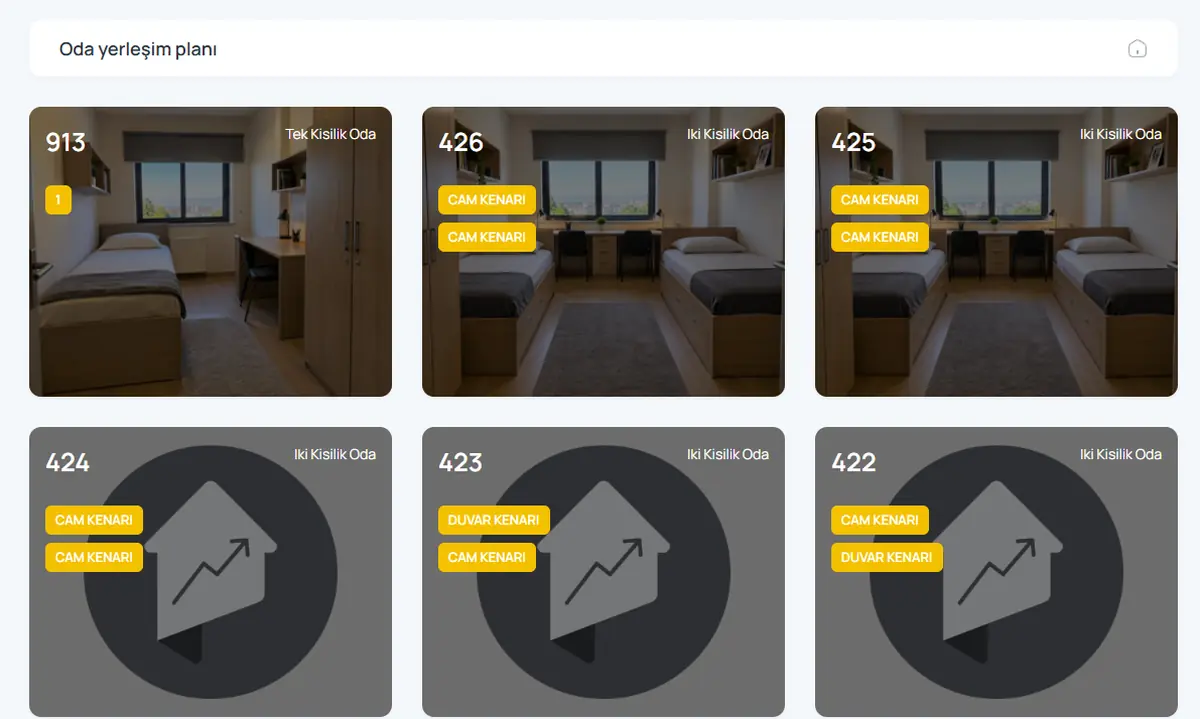
Product video: Smart roommate matching
The video for this module is on its way. Don’t want to wait? Book a 20-minute live demo and we will walk through the module together.
Request a demoFrequently asked questions
Can I turn matching off?
Yes. Automatic matching is optional; staff can do all placements manually.
Which traits are compared?
Sleep time, study habits, smoking, tidiness and interests; we can tailor the questions to your dorm.
Give us 20 minutes with your dormitory
In a live demo we show the software with your own rooms and students, and send a quote the same day.