
Your dormitory in your pocket: live control from anywhere
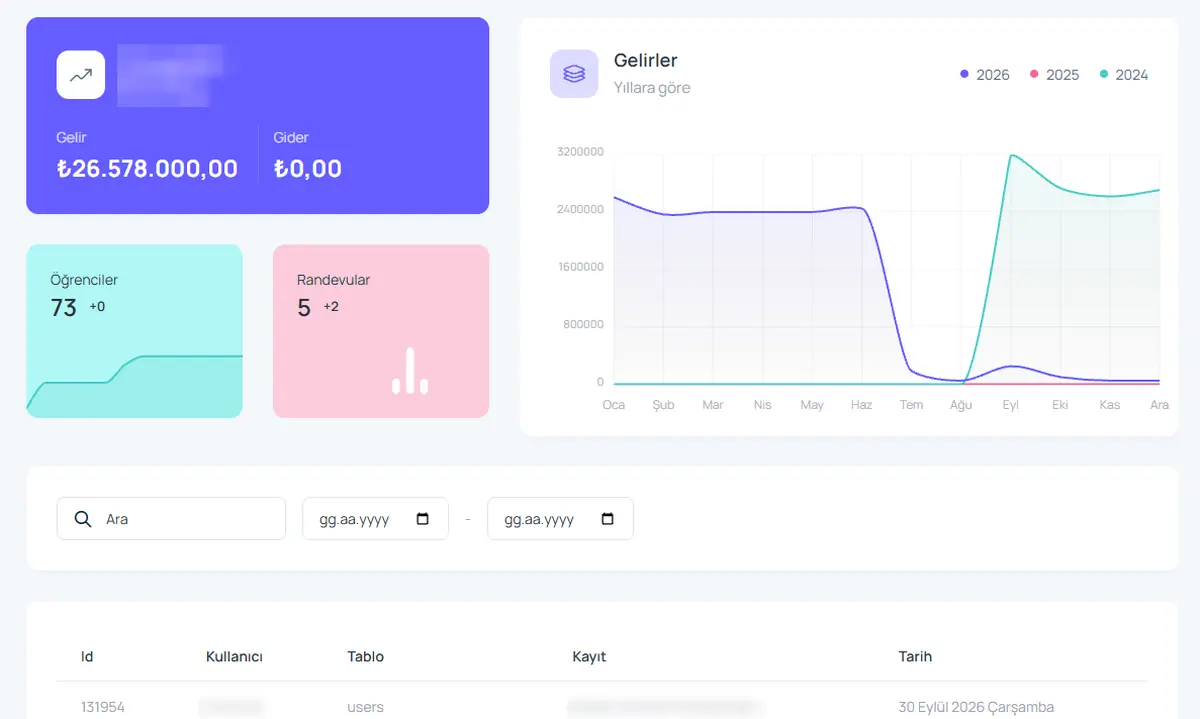
On holiday, on the road or at home. The dashboard shows income, expenses, student and appointment counts the moment you open it. If you run several branches, you follow all of them from one account.
What you can do
Live dashboard
Income, expenses, student count and appointments, always current, on the first screen.
Year-over-year income chart
Compare this year with last year month by month and see the season effect.
Multiple branches
Each branch keeps its own data while the totals sit on one screen. Switching branches takes one click.
Activity log
Every change is listed with the user, the record and the time.
Nothing to install
It runs in the cloud; servers, backups and updates are handled for you.
Dark mode
A darker theme that is easy on the eyes for night shifts.
How it works
- We open your account and set up your branches.
- You add staff and their permissions.
- The dashboard is ready on every device, anywhere.
Screens from the software
Frequently asked questions
Does Yurt Takip work offline?
Yurt Takip is cloud-based and runs on any device with an internet connection. Your data is stored on secure servers and backed up regularly.
Can I manage several branches from one account?
Yes. Each branch is set up separately and authorised users see all branches from one dashboard.
Which devices are supported?
It works in browsers on computers, tablets and phones, and in the mobile app.
Give us 20 minutes with your dormitory
In a live demo we show the software with your own rooms and students, and send a quote the same day.